Do you know how to investigate a suspicious domain without guesswork to improve security measures? If not, then you are in the right place. Here, we will talk about the investigation techniques and their benefits in detail.
Moreover, we will introduce you to a reliable threat intel solution offered by a reputed VAPT service provider. What are we waiting for? Let’s get straight to the topic!
What Makes a Domain Suspicious?
|
S.No. |
Factors |
Why? |
|
1. |
Typosquatting and Homograph Manipulation |
Users are tricked into mistakenly identifying rogue websites as trustworthy companies by subtle character swaps or visual similarities. |
|
2. |
Low Domain Age and High Registration Volatility |
There is a strong correlation between short-term assault campaigns and newly registered or regularly transferred domains. |
|
3. |
Unusual Top-Level Domains (TLDs) and High Entropy |
Random character strings coupled with high-risk TLDs indicate automated, disposable phishing infrastructure. |
|
4. |
Redacted WHOIS and Mismatched Registrar Data |
Owner information that has been anonymized and matched with dubious registrars suggests a deliberate attempt to obfuscate responsibility. |
|
5. |
Abnormal DNS Configurations and Short-Lived Infrastructure |
Command-and-control activities are concealed by dynamic DNS configurations, quick IP switching, and erratic MX records. |
How to Investigate a Suspicious Domain Without Guesswork?
You can investigate a suspicious domain without guesswork in the following ways:
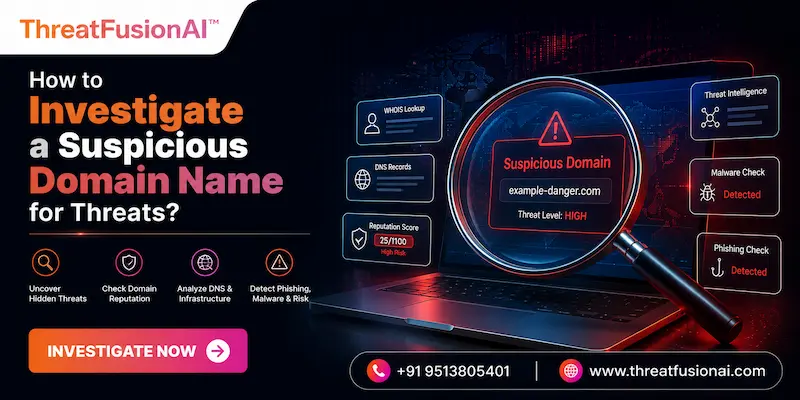
1. Query WHOIS and Passive DNS: To map previous malicious usage, look into registration age, registrar information, and past IP resolutions.
2. Inspect SSL/TLS Certificates: To identify hidden domain infrastructure, look at issuer reputation, certificate lifetime, and Subject Alternative Names.
3. Analyze DNS Record Configurations: Examine MX, TXT, and SPF/DKIM configurations to identify mail abuse, dynamic redirection, and spoofing threats.
4. Run Headless Sandboxed Scans: To securely and risk-free record screenshots, payload redirects, and DOM changes, use automated, isolated browsers.
5. Cross-Reference Global Threat Intelligence: Compare domain indicators to malware lists, active threat feeds, and reputation databases.
Safe Headless Browsing and URL Sandbox Inspection
In order to properly assess real-time DOM modifications, dynamic redirects, and hidden payloads, safe headless browsing loads URLs inside completely separated, automated virtual environments.
This method provides complete visual and behavioral data prior to analysts or automated systems interacting with harmful web content, eliminating the possibility of local device execution.
Examine the Website’s Content and Page Behavior
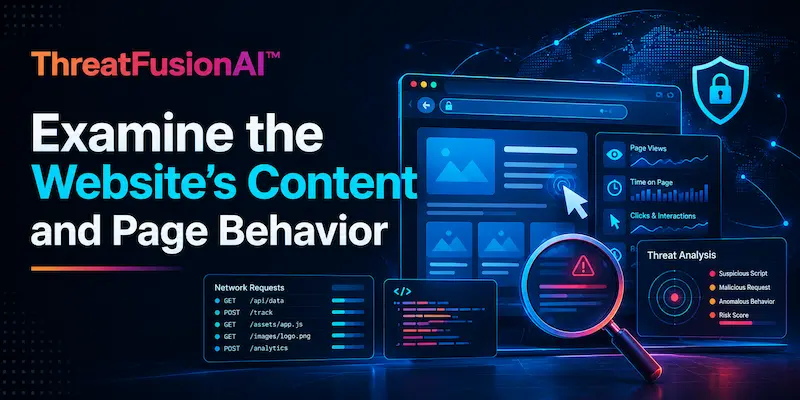
In order to identify malicious activity such as drive-by downloads or credential harvesting, analysis of page content and behavior entails examining the site's active DOM, scripts, and network traffic within a sandbox.
In order to determine the host's genuine intent, this stage assesses hidden code, phony login interfaces, and silent cross-domain redirection.
Search for Historical Evidence and Archived Pages
Examining web archives, passive DNS records, and historical WHOIS snapshots reveals earlier hosting settings, domain ownership changes, and site iterations throughout time. Whether a benign domain has recently been compromised, expired, or reconfigured expressly for covert harmful efforts is shown by this temporal analysis.
A Practical Checklist for Investigating Suspicious Domains
The following is a practical checklist for investigating suspicious domains:
● Verify Registration & Ownership: Look for privacy redactions or recent ownership transfers in WHOIS data, creation age, registrar reputation, and history.
● Inspect DNS & Hosting Infrastructure: To reveal dynamic redirection or bulletproof hosts, map IP resolutions, MX/TXT/SPF records, hosting providers, and certificate data.
● Conduct Safe Behavioral Sandboxing: To safely examine dynamic DOM scripts, redirects, and automated downloads, render the URL via a separate headless browser.
● Correlate Historical & Passive Records: To find unexpected domain repurposing, examine past WHOIS, passive DNS logs, and online archives (such as Wayback Machine).
● Cross-Reference Threat Intelligence Feeds: Check against known harmful campaigns by querying IoC databases, threat intelligence APIs, and Certificate Transparency records.
Conclusion
Now that we have talked about how to investigate a suspicious domain, you might want to get your hands on a dedicated threat intel solution from a reliable source. For that, you can go for ThreatFusionAI, a dedicated threat intelligence platform offered by Craw Security.
ThreatFusionAI can help organizations by notifying them about the latest cyber threats and malicious risks to improve cybersecurity measures for future threats. What are you waiting for? Contact, Now!
Frequently Asked Questions
About Domain Suspicious
1. What is the first thing to check when investigating a suspicious domain?
To find out the domain's registration date, age, ownership information, and general registrar reputation, the first thing to look for is its WHOIS information.
2. How can I tell if a domain was recently registered?
You can tell if a domain was recently registered in the following ways:
a) Check WHOIS "Creation Date",
b) Inspect Passive DNS Records,
c) Examine SSL/TLS Certificate History,
d) Search Web Archives, and
e) Query Threat Intelligence Tools.
3. Why is domain ownership information important during an investigation?
Domain ownership information is important during an investigation for the following reasons:
a) Establishes Threat Actor Attribution,
b) Maps Malicious Infrastructure,
c) Detects Domain Hijacking & Repurposing,
d) Evaluates Intent & Accountability, and
e) Supports Takedowns & Legal Recourse.
4. How can DNS records help identify a suspicious domain?
DNS records can help identify a suspicious domain in the following ways:
a) Exposes Fast-Flux & Dynamic Redirection,
b) Reveals Mail Spoofing Vulnerabilities,
c) Detects Hidden Command-and-Control (C2),
d) Uncovers Bulletproof Hosting Providers, and
e) Maps Shared Infrastructure Networks.
5. What can an SSL certificate reveal about a domain?
Through Subject Alternative Names (SANs), an SSL certificate discloses the domain's legal owner (for OV/EV certs), issue date, issuer reputation, and related subdomains or infrastructure.
6. How can I check whether a domain has a poor reputation?
You can check whether a domain has a poor reputation in the following ways:
a) Query Global Threat Intelligence Aggregators,
b) Perform Real-Time Blacklist Lookups,
c) Analyze Web Search Indexing & Visibility,
d) Review Mail Authentication Records, and
e) Examine Web Traffic & Domain Trust Scores.
7. What are the most common signs of a phishing domain?
The following are the most common signs of a phishing domain:
a) Typosquatting and Lookalike Characters,
b) High-Risk or Unusual TLD Extensions,
c) Excessive Subdomains and High Entropy,
d) Mismatched or Missing TLS Certificates, and
e) Fake Login Forms and Aggressive Captures.
8. How can historical website data help investigate a suspicious domain?
Historical website data can help investigate a suspicious domain in the following ways:
a) Exposes Sudden Purpose Shifts,
b) Detects Compromise Timelines,
c) Uncovers Past Malicious Footprints,
d) Bypasses Dynamic Cloaking & Geo-Blocking, and
e) Validates Brand Authenticity & Age.
9. How can I safely investigate a suspicious domain without visiting it?
You can safely investigate a suspicious domain without visiting it in the following ways:
a) Query Passive WHOIS and Domain Age,
b) Inspect DNS Records Remotely,
c) Run Isolated Headless Sandbox Scans,
d) Analyze Public SSL/TLS Transparency Logs, and
e) Cross-Reference Global Threat Intelligence Feeds.
10. What should I do if I confirm that a domain is malicious?
You should do the following things if you confirm that a domain is malicious:
a) Block the Domain Immediately,
b) Submit Abuse Takedown Requests,
c) Alert Global Threat Networks,
d) Execute Threat Hunting & Incident Response, and
e) Notify Impacted Stakeholders.