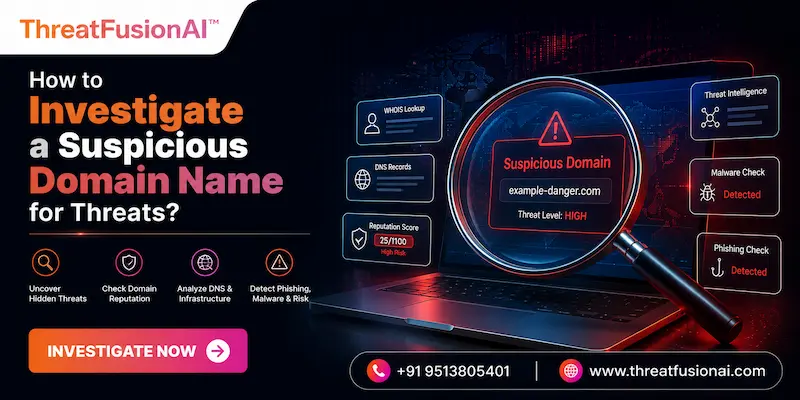
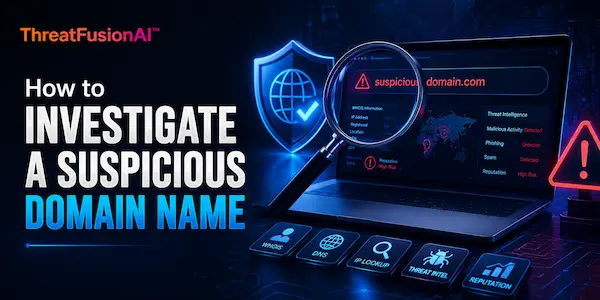
Do you know what a Suspicious Domain Investigation is, what it uses, and its benefits for organizations working in the IT Industry? If not, then you are in the right place. Here, we will talk about what a Suspicious Domain Investigation is and related features in detail.
Moreover, we will introduce you to a reliable threat intelligence solution offered by a reputable VAPT service provider. What are we waiting for? Let’s get started!
What Is a Suspicious Domain Name?
A suspicious domain name is one that is intended to resemble trustworthy websites, conceal ownership, or enable criminal online activities such as malware distribution and phishing. In order to trick users and security systems, it frequently contains small mistakes, odd top-level domains (TLDs), or recent registration dates.
These domains provide hackers with the fundamental infrastructure they need to undertake focused attacks while avoiding early detection. Let’s take a look at what Suspicious Domain Investigation is and how it helps businesses to improve their security measures!
Why Is Domain Investigation Important for Cybersecurity?
|
S.No. |
Factors |
Why? |
|
1. |
Prevents Phishing and Social Engineering |
Finds lookalike domains before hackers can trick workers and clients. |
|
2. |
Proactively Blocks Cyber Threats |
Prevents hostile domains from launching attacks by stopping them at the firewall or DNS layer. |
|
3. |
Accelerates Incident Response |
Rapidly identifies malicious infrastructure to limit damage and stop active breaches. |
|
4. |
Protects Brand Reputation and Intellectual Property |
Detects trademark infringement, domain squatting, and unapproved brand impersonation. |
|
5. |
Enhances Threat Intelligence and Attribution |
Uses domain infrastructure correlations to monitor, characterize, and link campaigns to particular threat actors. |
What Are the Common Types of Domain-Based Threats?
The following are the common types of domain-based threats:
1. Typosquatting & Combosquatting: To deceive users who write a site URL incorrectly, common misspellings can be registered, or terms like login-example.com can be added.
2. Phishing & Brand Impersonation: Creating lookalike domains that replicate reliable business websites to steal critical company information, financial information, or user passwords.
3. Malware Delivery & Command-and-Control (C2): Hosting malicious payloads or acting as secret channels of communication to remotely control compromised endpoints.
4. Domain Hijacking & Subdomain Takeover: Taking over valid domain registrations or directing unused subdomains to infrastructure under attacker control.
5. DNS Spoofing & Cache Poisoning: Using DNS resolver cache corruption to covertly reroute genuine user traffic to malicious web hosts.
What Are the Common Signs of a Suspicious Domain?
The following are the common signs of a suspicious domain:
● Character Manipulations & Visual Deceptions: Uses lookalike IDN homoglyphs (e.g., using a instead of a), extra hyphens, or tiny mistakes to visually deceive people.
● Recent Registration Date: A common indicator of short-lived attack infrastructure is that it was built in the past few days or weeks.
● Unusual Top-Level Domains (TLDs) or Subdomain Stacking: Stacks words into subdomains (paypal.com.verify-user.net, for example) or uses inexpensive TLDs (xyz, top).
● Redacted WHOIS & Anonymized Infrastructure: Utilizes privacy-focused registrars that are preferred by bad actors or completely conceals registrant information behind privacy services.
● Missing or Mismatched SSL/TLS Certificates: Uses free auto-generated certificates issued to a separate company, shows incorrect SAN (Subject Alternative Name) information, or completely lacks HTTPS.
Passive vs. Active Investigation Techniques
|
S.No. |
Topics |
Factors |
What? |
|
1. |
Passive Investigation |
Zero Direct Interaction |
Ensures that the threat actor is not aware of the investigation by collecting history and metadata records (such as WHOIS records, Passive DNS, and threat intelligence feeds) without sending network packets directly to the suspicious domain. |
|
Safe and Non-Detectable |
It is the crucial first step in initial threat triage since it removes the possibility of setting off alert systems, geo-blocking, or adversary infrastructure disruptions. |
||
|
2. |
Active Investigation |
Direct Target Engagement |
Involves delivering traffic such as port scans, DNS server queries, or web page content retrieval to assess real-time operational behavior directly to the target infrastructure. |
|
High Risk of Alerting Adversaries |
Creates log entries on the target server that may alert threat actors, leading them to destroy their assault infrastructure or ban your IP address before any evidence is gathered. |
How to Check Domain Registration and WHOIS Information?
You can check domain registration and WHOIS information in the following ways:
a) Use Command-Line WHOIS Utilities: To quickly retrieve raw registry data, use Linux, macOS, or Windows Sysinternals to run terminal queries such as whois example.com.
b) Leverage Web-Based Search Portals: For structured, easy-to-use domain registration views, utilize ICANN Lookup, DomainTools, or MXToolbox.
c) Inspect Key Timestamps: To identify freshly registered domain anomalies or recent infrastructure changes, look at creation, update, and expiration dates.
d) Evaluate Registrar & Privacy Shield Details: Determine the registrar and record whether contact information is concealed by privacy-focused registrars or privacy proxies.
e) Review Historical WHOIS Records: Analyze previous owners, nameservers, and pre-GDPR unredacted contact information using programs like WhoisFreaks or SecurityTrails.
How to Analyze Domain Age and Ownership Details?
You can analyze domain age and ownership details in the following ways:
1. Calculate Domain Creation and Registration Age: To identify recently registered domains that are less than 30 to 90 days old, check the creation date.
2. Cross-Reference RDAP Data for Structured Timestamps: Find standardized, machine-readable registration, update, and expiration dates by querying RDAP servers.
3. Analyze Historical WHOIS Ownership Changes: Examine previous WHOIS records to find recent, sudden transfers of older domains.
4. Evaluate Registrar Profile and Reputation: Determine whether the registrant has a reputation for having strong hosting relationships or for having lax abuse procedures.
5. Unmask Contact Metadata and Privacy Proxy Patterns: Look for phone numbers, email addresses, or privacy services that are connected to criminal campaigns.
How to Examine DNS Records of a Suspicious Domain?
|
S.No. |
Factors |
How? |
|
1. |
Query Basic Address Records (A & AAAA) |
To track the name straight to its hosting infrastructure and server location, resolve IPv4 and IPv6 addresses. |
|
2. |
Inspect Mail Exchange (MX) Records |
In order to spot any phishing domains or email spoofing efforts, make sure mail servers are configured. |
|
3. |
Review TXT Records (SPF, DKIM, DMARC) |
Examine email authentication settings to identify verification strings, spoofing threats, and missing security controls. |
|
4. |
Analyze Name Server (NS) Delegation |
Determine the credibility of authoritative DNS providers and flag dynamic DNS providers or bulletproof hosting services. |
|
5. |
Audit Historical & Passive DNS Data |
To find fast-flux DNS evasion strategies or infrastructure overlap with known threats, track previous IP resolutions over time. |
How to Check a Domain’s IP Address and Hosting Information?
You can check a domain’s IP address and hosting information in the following ways:
● Resolve Domain to IP Address: To convert the domain to its active IPv4 or IPv6 destination, use tools like nslookup, dig, or ping.
● Query IP WHOIS and ASN Details: Use IP lookups to find the server's owner, Autonomous System Number (ASN), and network block.
● Evaluate Hosting Provider Reputation: Find out if the hosting company is a trustworthy cloud service or a well-known, impenetrable host that hackers like.
● Perform Reverse DNS and Co-Hosting Lookups: To find every other domain that shares the same IP address, use reverse-IP lookups and PTR inquiries.
● Check IP Threat Intelligence & Geolocation: Determine the physical location of the IP and compare it to blocklists for previous spam or malware activities.
How to Investigate Suspicious Subdomains?
You can investigate suspicious subdomains in the following ways:
a) Perform Passive Subdomain Enumeration: To find subdomains without communicating with the target directly, query OSINT sources and Certificate Transparency logs.
b) Execute Active DNS Brute-Forcing & Fuzzing: To find unlinked or hidden active subdomains, send tailored DNS requests using dictionary wordlists.
c) Analyze Subdomain DNS & Host Resolution: To find hosting companies and server setups, resolve IP addresses and examine CNAME records.
d) Audit for Dangling CNAMEs & Takeover Vulnerabilities: Find subdomains that lead to unclaimed or shut down third-party services that could be taken over.
e) Inspect Web Content & Dynamic Behavior: To find malware payloads or phishing pages, examine hosted content, SSL/TLS certificates, and application responses.
How to Analyze Domain Names for Malware and Other Threats?
|
S.No. |
Factors |
How? |
|
1. |
Query Multi-Engine Threat Aggregators |
Verify the domain using SecurityTrails or VirusTotal to compile blocklist findings from several security providers. |
|
2. |
Run Headless Browser Scans |
To render online pages, take screenshots, and log network data without being exposed locally, use services like URLScan.io. |
|
3. |
Detonate and Monitor Sandbox Behavior |
Send links from your website to Any or other automated sandboxes.Run to monitor file downloads, redirection, and dynamic execution. |
|
4. |
Inspect Web Application Source Code |
Look for credential harvesters or exploit kits in DOM structures, external scripts, hidden forms, and obfuscated JavaScript. |
|
5. |
Correlate Threat Intelligence Feeds |
For continuing campaign matches, cross-reference domain IPs and hashes with active C2 blocklists, MISP instances, and SIEM feeds. |
What to Do After Confirming a Malicious Domain?
You should do the following things after confirming a malicious domain:
1. Block at Perimeter Security Controls: Directly add the domain, IP, and subdomains to your DNS sinkhole blocklist, firewall, and proxy.
2. Quarantine Internal Endpoints & Emails: Isolate any internal hosts that started outbound connections and remove any incoming emails that contain the link.
3. Report to Domain Registrars & Hosters: To request the suspension of your domain or the removal of your server, submit formal abuse tickets to the registrar and hosting company.
4. Update Threat Intelligence Feeds: To automate future detections, add the verified domain indication to your SIEM, SOAR, and local threat feeds.
5. Issue Domain-Specific Abuse Alerts: Alert relevant ISACs, partner security operations centers (SOCs), and affected users of an ongoing campaign.
Conclusion
Now that we have talked about what Suspicious Domain Investigation is, you might want to get your hands on a dedicated security solution from a reliable source. For that, you can go for ThreatFusionAI, a dedicated threat intel platform offered by Craw Security.
The amazing ThreatFusionAI can help businesses by notifying them about the latest cyber threats and malicious attempts so that they can prepare better security solutions. Thus, you can rely on this platform for better security alerts. What are you waiting for? Contact, Now!
Frequently Asked Questions
About Suspicious Domain Investigation
1. What is a suspicious domain name?
A web address created with visual deception, concealed ownership, or recent registration to confuse consumers and enable cyberattacks like phishing or malware distribution is known as a suspicious domain name.
2. How can I tell if a domain is malicious?
You can tell if a domain is malicious in the following ways:
a) Check for Visual & Typographic Deceptions,
b) Verify Domain Creation Age & WHOIS Data,
c) Run the Domain Through Threat Aggregators,
d) Inspect DNS & MX Records for Anomalies, and
e) Scan the Live Site Safely with a Sandbox.
3. How do I check the reputation of a suspicious domain?
You can check the reputation of a suspicious domain in the following ways:
a) Query Multi-Engine Threat Aggregators,
b) Check Global DNSBLs and Spam Blocklists,
c) Analyze Domain Age and WHOIS Metadata,
d) Scan Live Page Behavior via Headless Sandbox, and
e) Cross-Reference Network & IP Threat Intelligence.
4. What is WHOIS information and why is it important?
A domain's owner, contact information, registration timestamps, and administration servers are all listed in WHOIS information, a publicly accessible database record that is essential for determining the legality of a domain, monitoring cyberthreats, and establishing online responsibility.
5. How can DNS records help investigate a suspicious domain?
DNS records can help investigate a suspicious domain in the following ways:
a) Map Infrastructure & Host Identification,
b) Detect Phishing & Email Spoofing Risks,
c) Identify Suspicious Hosting Providers,
d) Uncover Fast-Flux Evasion & Infrastructure Overlap, and
e) Spot Hijacking & Subdomain Vulnerabilities.
6. How do I check when a suspicious domain was registered?
You can check when a suspicious domain was registered in the following ways:
a) Run a Command-Line WHOIS Query,
b) Use ICANN Lookup or Online Portals,
c) Query RDAP for Standardized Metadata,
d) Analyze Historical WHOIS Databases, and
e) Inspect Passive DNS & Threat Feeds.
7. What is typosquatting, and how can I identify it?
Typosquatting, which can be detected by looking for homoglyphs, missing or switched letters, added hyphens, or incorrect top-level domains (TLDs), is a social engineering attack in which malicious actors register common misspellings or typographical variations of well-known brand domains to fool users into visiting malicious websites.
8. Which tools can be used to investigate suspicious domains?
The following tools can be used to investigate suspicious domains:
a) VirusTotal,
b) URLScan.io,
c) DomainTools (Iris),
d) SecurityTrails, and
e) Shodan.
9. How can threat intelligence feeds help analyze a domain?
Threat intelligence feeds can help analyze a domain in the following ways:
a) Automate Real-Time Reputation Scoring,
b) Correlate Indicators of Compromise (IoCs),
c) Identify Active Command & Control (C2) Nodes,
d) Trace Campaign Attribution & Threat Actors, and
e) Enrich SIEM and Security Operations Workflows.
10. What should I do if I confirm that a domain is malicious?
You should do the following tasks if you confirm that a domain is malicious:
a) Block at Perimeter & DNS Controls,
b) Isolate Endpoints & Purge Email Queues,
c) Submit Take-Down Notices,
d) Push Indicators to Threat Feeds, and